
K&A INSIGHTS
ID Badge Production
Smarter solutions for producing and issuing credentials.
Are You Still Printing Badges
One at a Time?
Your printer might be ready for batch production. Your workflow might not be.

You’ve got 120 new employee badges to produce. Your printer is capable of handling the volume, so you should be able to load the cards, send the job, and let it run.
Instead, you’re sitting at a computer, working through ONE. EMPLOYEE. AT. A. TIME.
Open the record. Print the badge. Enter the credential number. Save. Repeat.
The printer isn’t necessarily the bottleneck. Everything happening between badge prints is.
Your Printer Is Waiting on You.
ID card printers are designed to produce batches of cards. But when each badge requires someone to retrieve a record, print a card, and manually enter its credential number, production becomes a stop-and-start operation.
The printer sits idle while the operator works through administrative steps. A phone call or email interrupts the process. Someone loses their place, mistypes a number, or associates a credential with the wrong record.
Multiply that workflow by a hundred employees — or a thousand — and those interruptions add up.
The challenge isn’t just producing the physical badges. It’s making sure each credential is accurately connected to the person who will use it.
Three Ways to Issue a Batch of Badges.
Manual Entry
Most repetitive
Every badge requires individual attention. Printing and data entry interrupt each other throughout production.
Open
record
Print
badge
Manually type
credential #
Manually save
record
Repeat
Tap Enroll
Less typing
Printing can happen in batches, and a desktop reader captures the credential number without manual typing. Enrollment still happens one record at a time.
Batch
print
Manually find
one record
Tap card
to reader
Manually save
one record
Repeat
Inline Read
Most automated
With compatible hardware and software integration, credential numbers can be captured during production and automatically associated with the correct record.
Send
batch
Auto print + read
credentials
Auto associate to
batch of records
Verify
results
Two Ways to Reduce Manual Work.

Desktop Tap Enrollment:
A desktop enrollment reader captures the credential number when you tap each badge. It eliminates manual typing and reduces transcription errors while keeping enrollment within your existing process.
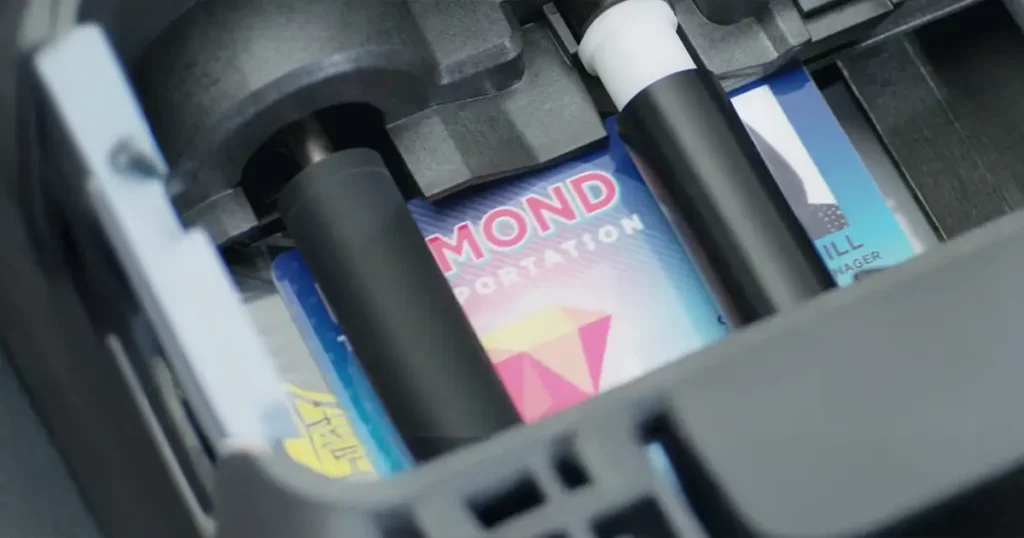
Inline Reading:
A compatible printer can be equipped with an inline reader or encoder that captures credential numbers during badge production. With the right software integration, those numbers can be associated with the correct employee records automatically.
What Changes When the Workflow Shifts?
Less operator intervention
The printer can process consecutive cards while the system handles more of the enrollment workflow.
Better data accuracy
Electronic reading reduces the risk of mistyped numbers and incorrect record associations.
More practical batch production
Large issuance jobs, new employee onboarding, and organization-wide rebadging become easier to manage.
More time for everything else
Operators spend less time on repetitive steps and more time on the work that actually requires their attention.
Ready to Get Out of Your Printer’s Way?
K&A helps organizations configure the hardware and integrations that make more efficient credential production possible.